How to Change Your Email and Password?
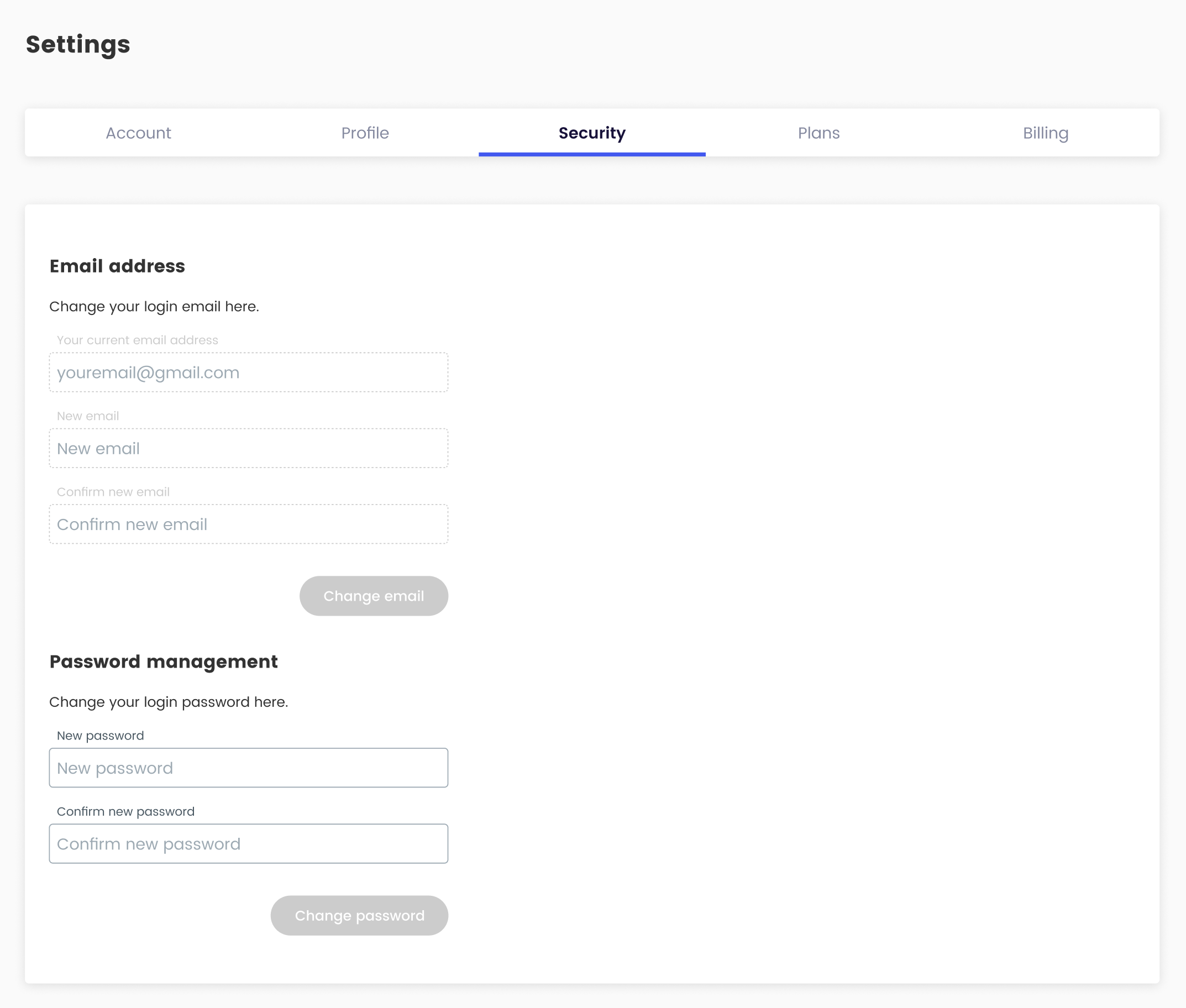
Overview:
Updating your email and password on Pageloot ensures your account remains secure and accessible. Follow these steps to modify your account details.
Steps:
- Log In: Visit pageloot.com and sign in to your account using your current email and password.
- Access Account Settings: Navigate to the account or profile section, typically found under your username or a settings icon in the top-right corner.
Change Email:
- Locate the “Email” or “Contact Information” field.
- Enter your new email address. You may need to verify the new email via a confirmation link sent to the new address.
- Save the changes.
Change Password:
- Find the “Password” or “Security” section.
- Enter your current password, then input your new password (ensure it’s at least 8 characters, including uppercase, lowercase, numbers, and symbols for security).
- Confirm the new password and save changes.
- Verify Changes: Log out and log back in with your new email and/or password to confirm the updates.
- Update Connected Devices: If you use Pageloot on mobile apps or other platforms, update the email/password in those settings.
Tips:
- Use a strong, unique password and consider a password manager for security.
- Pageloot will never ask for your password via email or direct you to change it to specific characters. Report suspicious requests to Pageloot support.
- If you can’t access your account, use the “Forgot Password” link on the login page to reset your password via email.
- Keep your contact information updated to ensure smooth password recovery.